A simple screen that shows your family what matters today
DinkyDash is a digital family calendar with none of the cruft. Your calendar feed, a few chores, the countdowns the kids ask about. Set it up from your phone, point a screen at it, and leave it alone.
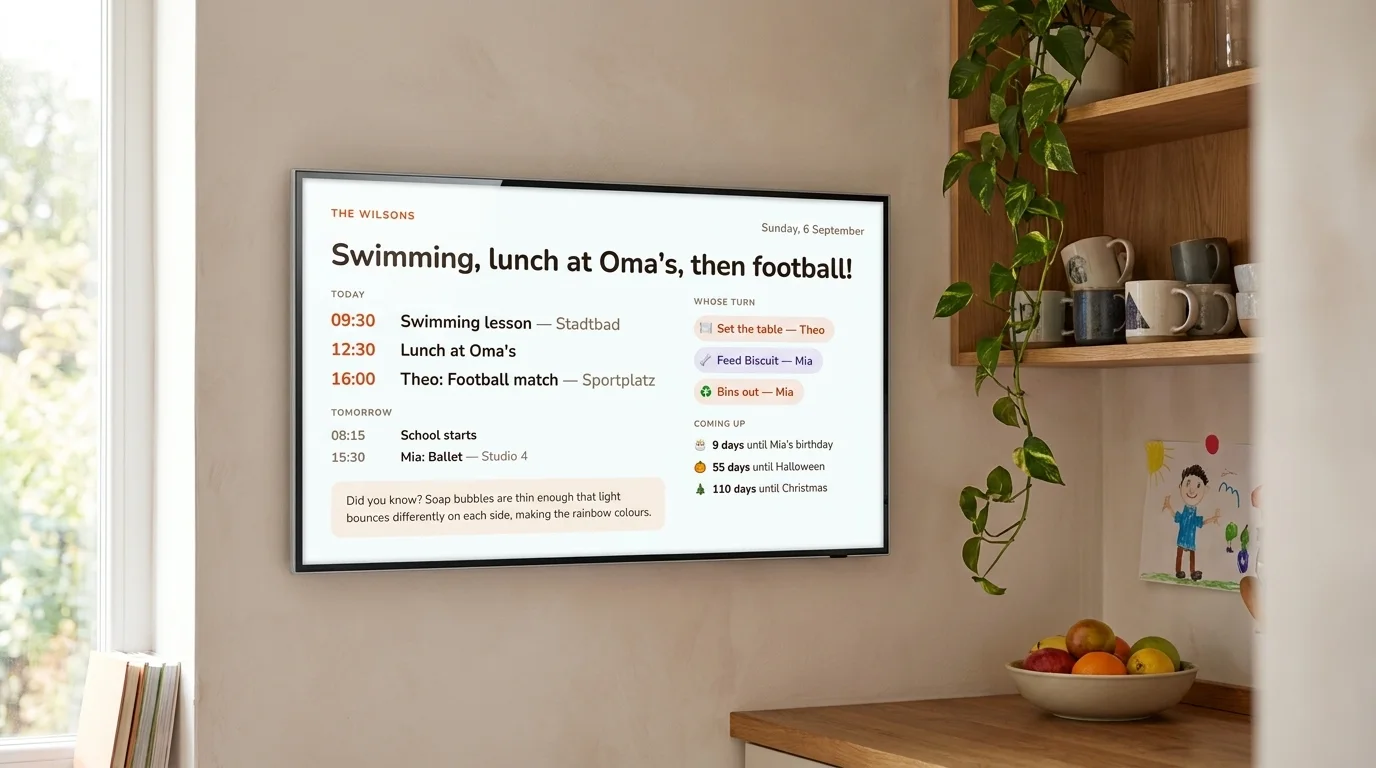
Every screen on this page shows the real board — the same page yours would serve.
What's on the board
One page, readable from the other side of the kitchen. The agenda, the rota, the countdowns, and one written line. The important things, and nothing else.
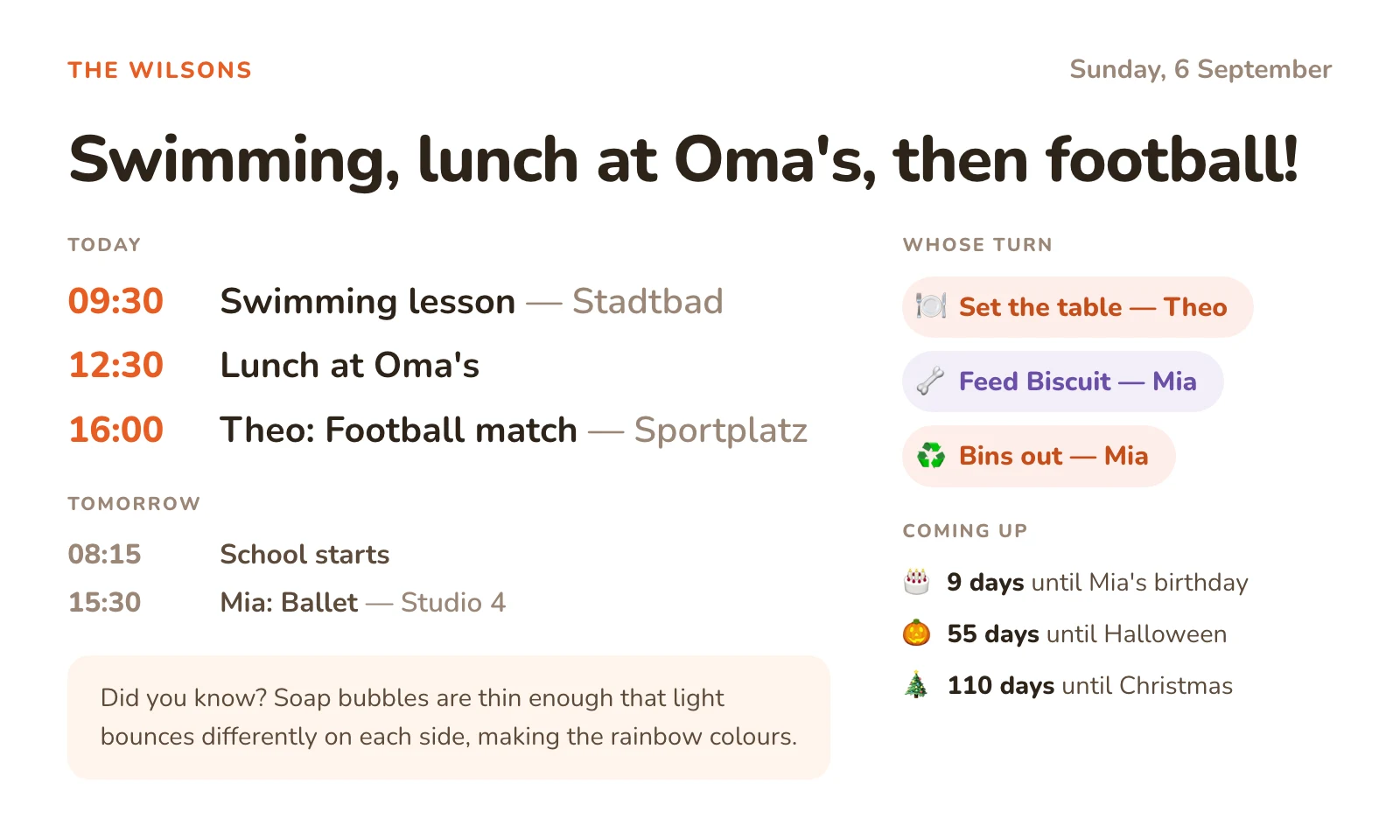
- Today's agenda, in time order, merged from as many calendars as you connect.
- A look at tomorrow underneath it, on the days today leaves room.
- Whose turn each chore is — rotated daily, so nobody has to arbitrate.
- Countdowns to birthdays and the dates children ask about on repeat.
- One line written each morning — some days a fact, some days about the dog.
- Light or dark, sized in one measurement so it fits every screen you own.
Yours to keep
Every other family calendar is a company standing between you and your own week. Companies raise prices, move features behind a paywall, and close.
Buy the screen, then rent the features
Skylight sells the 15″ Calendar from $329.99. Photo Screensaver, Meal Planning, Magic Import and Rewards are not included — they need Plus, at $79 a year.
Stop paying, and they stop.Or the subscription is not optional
Hearth Display lists at $699, and the membership is required: $9 a month, or $86.40 a year. Routines, rewards and meal planning go with it if it lapses.
Nearly $800 in year one.Or the company simply closes
Maple, a family organiser app, was acquired and shuts down on 31 December 2026. Nothing its users did caused that, and nothing they could have done would have prevented it.
This happens.DinkyDash has no company in the loop. The code is MIT-licensed and public, it runs on your hardware with your own API key, and there is no server of ours it has to reach. If this project were abandoned tomorrow, every board on every wall would carry on working.
That is not a promise in a FAQ. It is how the thing is built — and it is the honest pitch for the paid version too: we are not asking you to trust us with the wall. Read the code.
Competitor prices and features checked 6 September 2026. Skylight and Hearth are good products — you just might not need the hardware.
Nothing to maintain
Every family organiser dies the same way. Somebody sets it up in January, and by March nobody is ticking the boxes. So the board has no boxes.
Chores rotate on the date
Nobody marks one done, and nobody arbitrates whose turn it is. The wall already said, and it will still be saying the right name in March.
Countdowns count themselves
Ages and days-to-go are worked out fresh from today's date, so they cannot drift. Try the birthday countdown →
A bad morning stays honest
If the overnight run fails, the times, turns and countdowns are still today's. Only the written line is old, and the board tells you so.
The rest of the category is running the other way — tap-to-complete, points, rewards, child locks. Those are apps on a wall, and apps on a wall need feeding. This is a poster that updates itself.
No account, no camera, no adverts
The board holds your children's names, their birthdays and your week. Here is exactly where that goes.
There is no account to create, no camera and no microphone. It is a web page. Run it yourself and your config, your calendar feeds and the board all stay on your machine. Once each morning the day's agenda goes to Anthropic, so Claude can write the line. Nothing else leaves, and the board still works if you skip that step.
Hosted, we keep your config so we can build the board each morning. It is never sold and there are no adverts. You can export it and run it yourself whenever you like. The code that touches all of it is public. Read it.
One line, written each morning
No other family calendar does this. Claude reads the day ahead and writes a headline and a single line — some days a fact worth repeating at school, some days about the dog.
Swimming, then football — a full day.
Octopuses have three hearts. Two of them stop beating when the octopus swims, which is why it would rather walk.
A busy TuesdayTerm starts tomorrow. Last quiet one.
Mabel has claimed the warm patch by the radiator and is defending it against all comers, including the hoover.
The day beforeNothing on today. Enjoy it.
A day on Venus lasts longer than a year on Venus. It turns so slowly that it laps itself.
An empty SundayIt keeps a month of what it has already written, so it never repeats itself — and on a genuinely empty day it says so, rather than inventing excitement. This is what stops a wall display becoming wallpaper by week three.
Illustrative examples, written to the same brief the real one gets. No real family's data appears anywhere on this site.
Bring your own screen
DinkyDash is a web page. Anything with a browser becomes the family board — and it measures the screen it lands on, so it fits whatever you point at it.
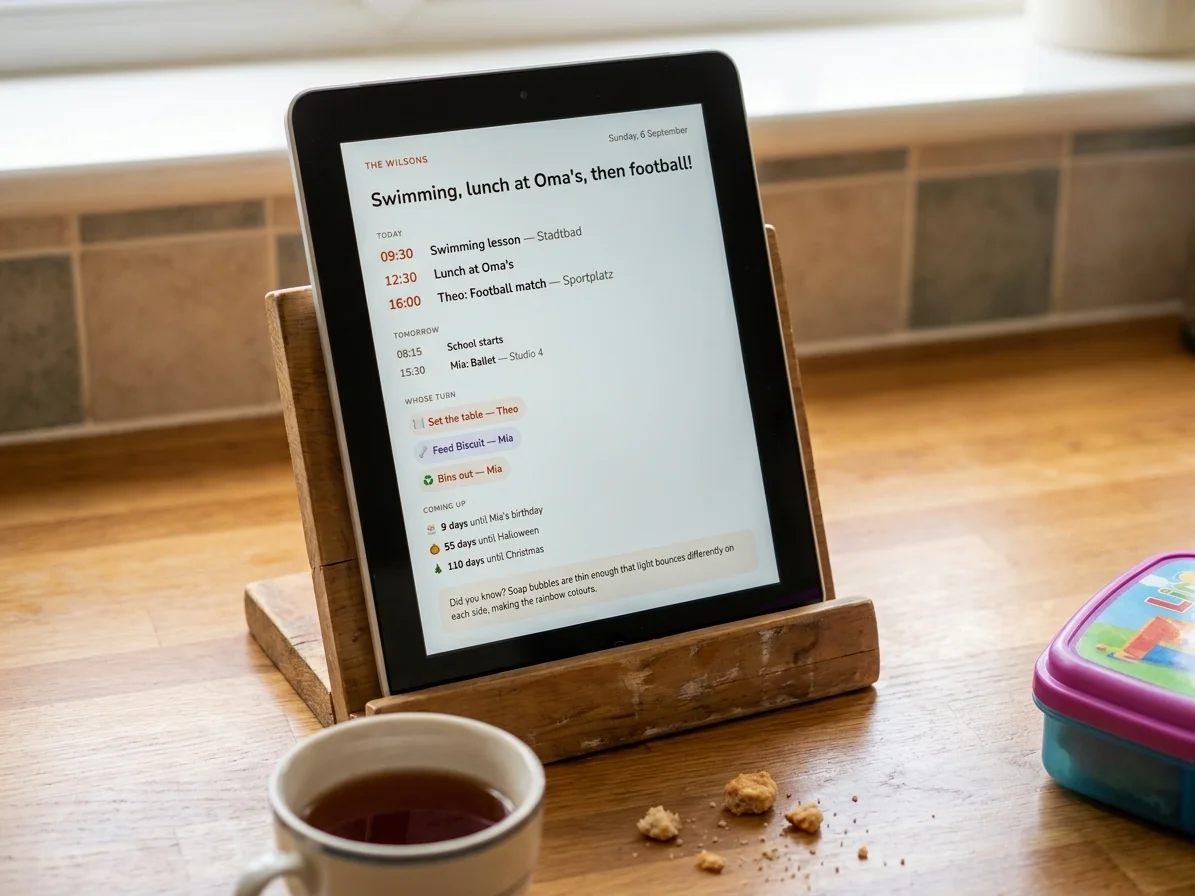
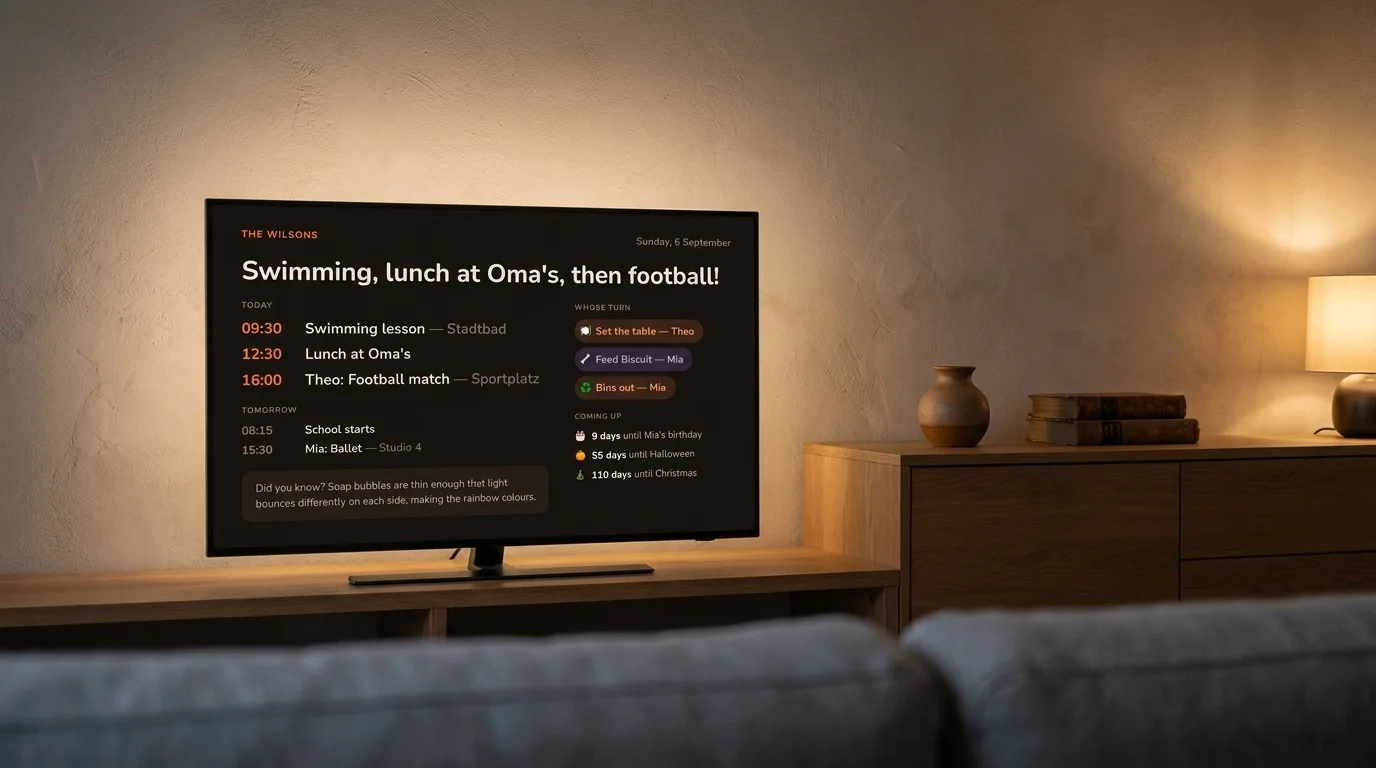
An old tablet
The retired iPad or Fire tablet in the drawer becomes a kitchen calendar in ten minutes.
Any TV
Open your board in the TV browser or cast it. Dark mode keeps the living room calm.
A spare monitor
Prop it on the counter, point a browser at your board's URL, done.
Set up once, from your phone
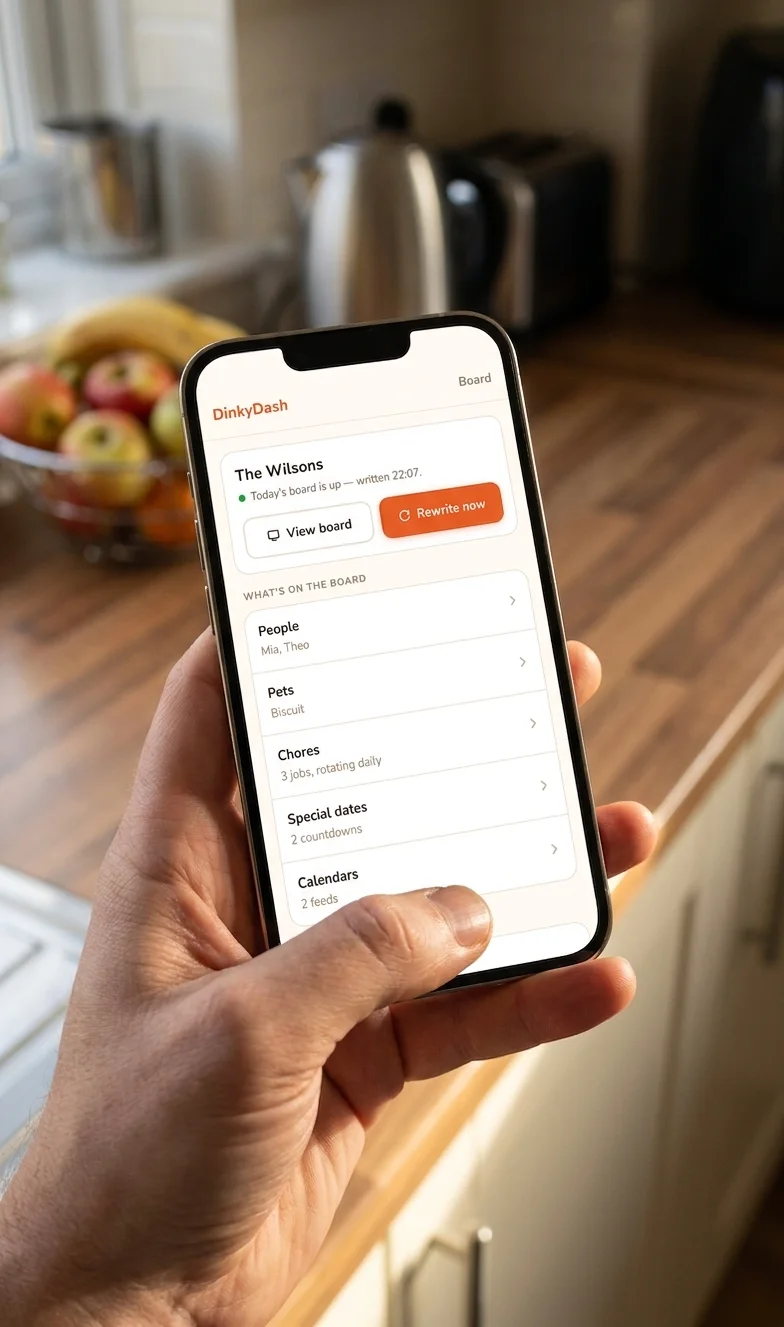
Describe your family — names, birthdays, pets, chores, the dates you count down to — and paste in a calendar link or three. Then leave it alone.
- Add people, pets, chores and countdowns
- Connect Google, iCloud or Outlook calendars
- See at a glance whether today's board is written
- Rewrite the day's line whenever you like
Save the settings page to your home screen and it opens like an app. Every morning after that, the board rebuilds itself and the screen on the wall refreshes on its own.
What it costs
The competition sells you a screen. You already own three. Here is the first year, all in.
The bring-your-own-screen rivals are closer: DAKboard is $60 a year and Mango Display $59.99. We are cheaper than both, but price is not really the difference — theirs is a subscription, and ours is also a repository you get to keep.
Self-hosted
- Runs on your own machine, on your own network
- Your own Anthropic key — well under $1 a month
- An afternoon of copying commands into a terminal
- Your config stays on your machine; only the day's prompt goes out
- Community-supported: no support commitment
Hosted
- Nothing to install and nothing to keep alive
- We run the 6am job and pay for the AI
- Your own board URL, for any screen in the house
- Settings from your phone, backed up for you
- 14-day trial, no card up front
Same board, same code, same repository. The only difference is who keeps it running.
Common questions
What happens to my board if DinkyDash goes away?
If you self-host, nothing happens: the code is MIT-licensed and already on your machine, so it keeps running whether this project continues or not. If we are hosting it for you, the same code is public, and your config is a small file you can export and run yourself. That is the point of building it this way.
Will features I have today ever move behind a paywall?
Not for anything already released. Everything on the board today is published under the MIT license, and that grant cannot be withdrawn for code that is already out — so a copy you are running stays yours to run. The hosted version is a convenience: we run the machine and pay the AI bill. It is not a key to features you would otherwise lose.
When can I get the hosted version?
It is being built now, in the open. Families are invited from the waiting list in small batches, so that what breaks for the first group is fixed before the next one arrives. Join the list and you will hear from us before it opens to everyone.
What will the hosted version cost?
$39 a year, or $6 a month, with a 14-day trial and no card up front. The first 100 families on the waiting list pay $29 a year, locked in for as long as they stay subscribed.
What screens can I use?
Anything with a web browser: an old iPad or Android tablet, a smart TV, a Raspberry Pi with a touchscreen, a spare monitor, or a laptop on the counter. The board measures the screen it lands on and sizes itself to be read from across the room.
Can I still run it myself for free?
Yes, and that will not change. DinkyDash is open source under the MIT license, and the hosted version is built from the same repository. If you are comfortable copying commands into a terminal, the setup guide takes about an afternoon and costs well under a dollar a month in AI usage. Self-hosting is community-supported.
Does it work with Google, Apple and Outlook calendars?
Yes, all three. Google Calendar, Apple iCloud Calendar and Outlook each let you share a calendar as an iCal link, and that link is what DinkyDash reads. You paste the link in — there is no sign-in to grant and no app to install. Connect several and they are merged into one agenda in time order. The setup guide has the steps for each one.
What happens to my family's calendar?
Your events are read to build the day's agenda, and that agenda is sent to Anthropic so Claude can write the day's line. Nothing is sold, and there are no adverts. Self-hosting keeps everything else on your own machine, and the board still runs with no API key at all — you simply go without the written line.
How is this different from a Skylight or Hearth?
Skylight and Hearth sell you a dedicated touchscreen, from $329.99 to $699, with a subscription on top that is optional at Skylight and required at Hearth. DinkyDash is just the software, running on a screen you already own, and nothing on it can be taken away later. It also does something they don't: a line written fresh every morning from your actual day. See the full comparison.
Put it on the wall this week
Set it up yourself this afternoon, or join the waiting list and we will run it for you. Either way, the code is yours and it stays that way.
We only email about DinkyDash, and one click gets you off the list. Or read the code on GitHub.